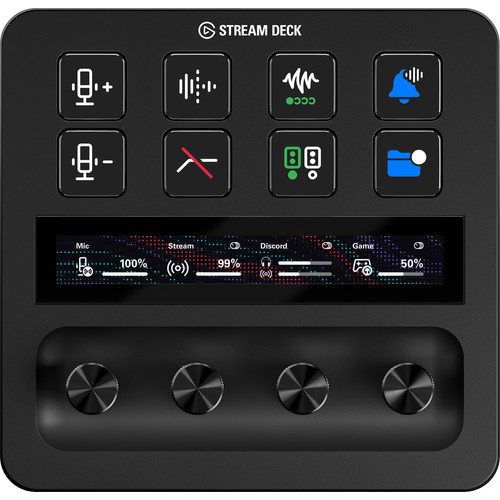
With the Elgato Stream Deck +, you can personalize your stream or video in no time. The 8 buttons of this Stream Deck are fully adjustable. In addition, you can easily adjust the sound of your game of microphone via one of the 4 dials. You can also control the Stream Deck via the touchscreen, so you scroll through the selected settings and control apps. If don’t know what you want every button to do, you can personalize your Stream Deck to your liking with 200 ready-to-use plugins. Whether you make recordings for YouTube, create online designs, or stream on Twitch, the Stream Deck + is for every user.

Rudi Van De Genachte –
My shortcuts for Photoshop, Bridge, and so many more programs are now directly nearby and easy to use, so great
Stefan Adelmund –
You can arrange everything according to your own wishes, not only useful for content creators, but also for graphic designers or other people who do a lot with keyboard shortcuts or have repetitive actions.
Arnoud Hartog –
With Streamdeck I can perform a lot of actions with 1 push of a button so that I can focus on more important things
Frank –
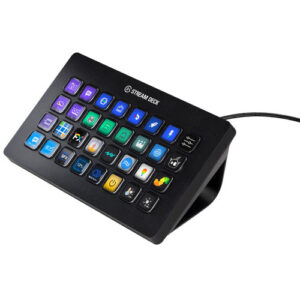
My Zoom meetings just got a lot easier. Ring light (also an essential thing for virtual meetings), home office lighting (Hue), and roman blinds (motor from Brel controlled via Homey) are now set with 1 push of a button. Camera change… 1 push of a button, mute everyone…. 1 push of a button, send contact details via chat…. 1 push of a button, etc, etc. Also all kinds of countdown counters on the Stream Deck to manage time well. If you do a lot of virtual meetings and you take this seriously, a Stream Deck is a must. Don’t start small, but buy the XL right away. Once you understand what a Stream Deck can do, you want the XL. Costs a bit, but is priceless to use.
Paul Borgmans –
Makes my work much easier.
Verdi Heinz –
Het opzetten kost je even tijd maar is leuk om te doen en de investering zeker waard. Zeer geschikt voor iedere productiveling. Zelf gebruik ik hem niet om te streamen, al begrijp ik direct hoe hij daar ook geschikt voor is.
Martin –
I was familiar with the Stream Deck (XL) phenomenon from the video studio at our head office. He is completely in his element there (including with OBS studio). For home use, including Microsoft Teams for work and Adobe software for hobbies, I saw this as an excuse to purchase a slightly smaller copy.
Outside the Twitch / OBS / Streaming domain, the practical use is a bit disappointing.
Zoom is well supported ‘out of the box’, but you have to configure Microsoft Teams yourself via key shortcuts. The function to show specific buttons per application, if that application is in the foreground, works fine, except for MS-Teams (because it is an Electron application?).
Olaf –
I already had the regular Stream Deck and now the XL. Best buy this right away. It feels great and is easy to set up and use for numerous applications.
I myself use it for both live streaming and the flight simulator. Lots of buttons. 😉
RobH –
A great replacement for a macro keyboard (still need a ‘dumb’ keyboard next to it of course).
Many useful Plugins to automate all kinds of computing. Good software. Almost endless buttons available via Profiles/Pages/Folders.
Real dials. For volume, zoom in/out documents. rotate left/right. etc.
Raymond –
Does what he has to do